Sets are fields, not text
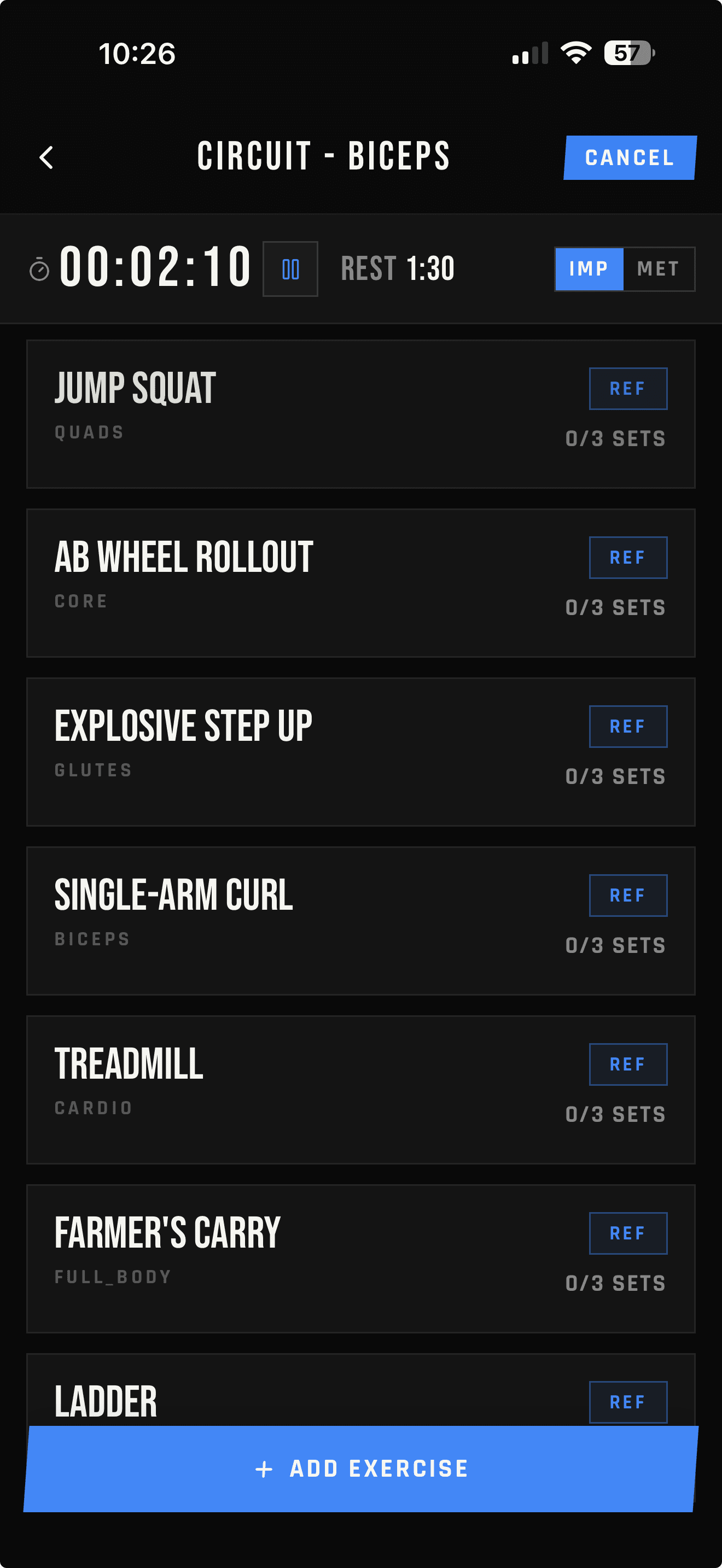
Weight, reps, time, distance, holds, counts, warmups, and PRs live in structured records instead of a hand-formatted line.
Beyond Notes and spreadsheets
A note remembers what you typed. A spreadsheet calculates what you built. LIFTL is structured around the workout itself—fast set entry, previous values, rest timing, reusable workouts, and training history that stays connected.
Product facts reviewed
Less manual upkeep
Weight, reps, time, distance, holds, counts, warmups, and PRs live in structured records instead of a hand-formatted line.
The current exercise can connect directly to prior sets and best performance instead of making you search another document.
Volume, estimated 1RM, PRs, workload, and training recency are derived from the log without maintaining formulas yourself.
The list becomes history
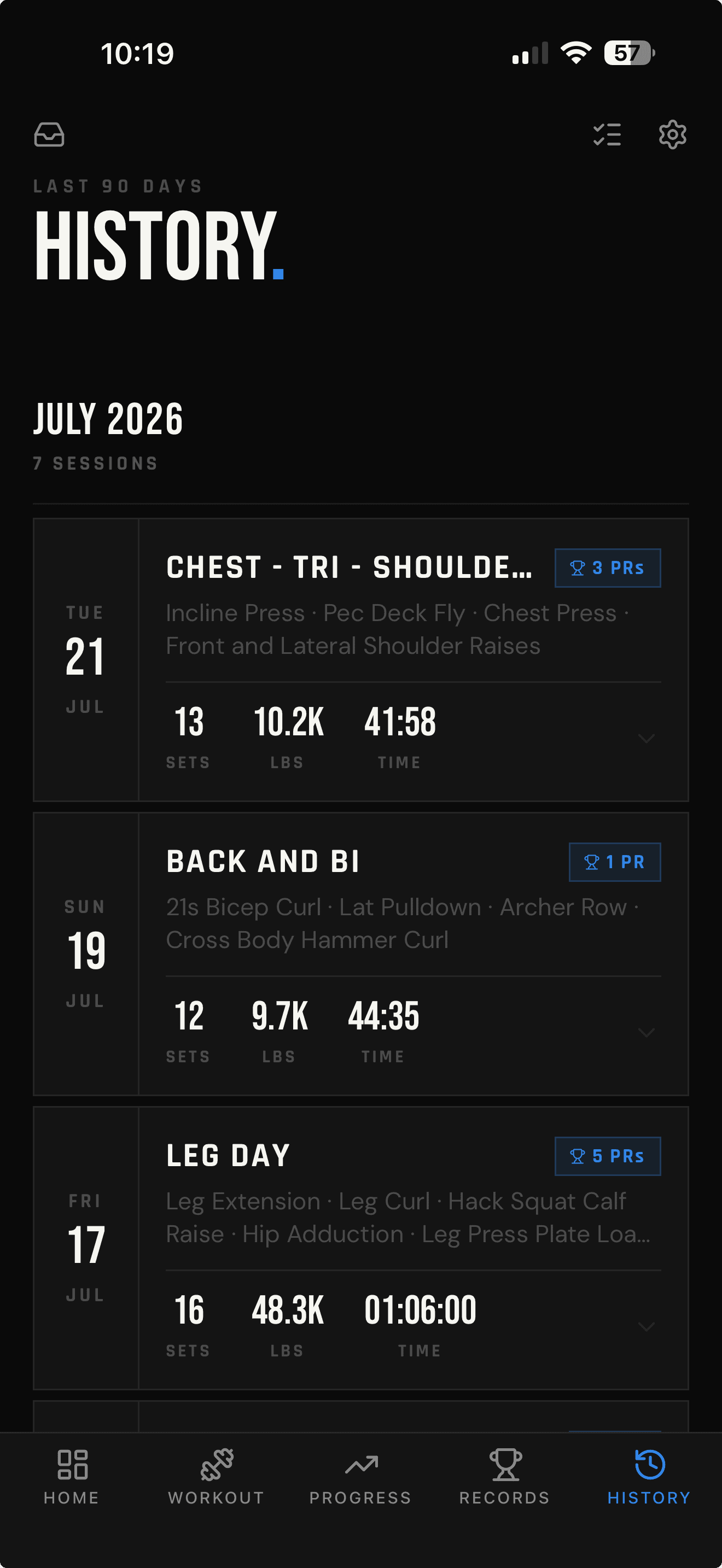
Every completed session stays connected to its date, exercises, set count, volume, duration, and records. During the next workout, Last and Best views bring the relevant numbers back to the exercise you are training.
Honest comparison
LIFTL is faster for repeatable workout tracking. Notes and spreadsheets remain better for unrestricted prose, arbitrary columns, custom formulas, and bulk editing.
| Task | Notes / spreadsheet | LIFTL |
|---|---|---|
| Log sets during training | Type and format each line | Enter structured values |
| See previous performance | Search or filter manually | Open Last and Best context |
| Time rest periods | Use another timer or formula | Automatic after a logged set |
| Repeat a workout | Duplicate rows or text | Start a saved template |
| Review progress | Build formulas and charts | Calculated analytics |
| Use custom formulas | Fully flexible | Not supported |
| Bulk-edit old history | Fully flexible | Individual saved sets can be corrected in app History |
From entries to evidence
A spreadsheet can chart anything—after you define the columns, formulas, ranges, and cleanup. LIFTL’s Pro analytics use the workouts already logged to build strength curves and progressive-overload comparisons.
Explore lifting analytics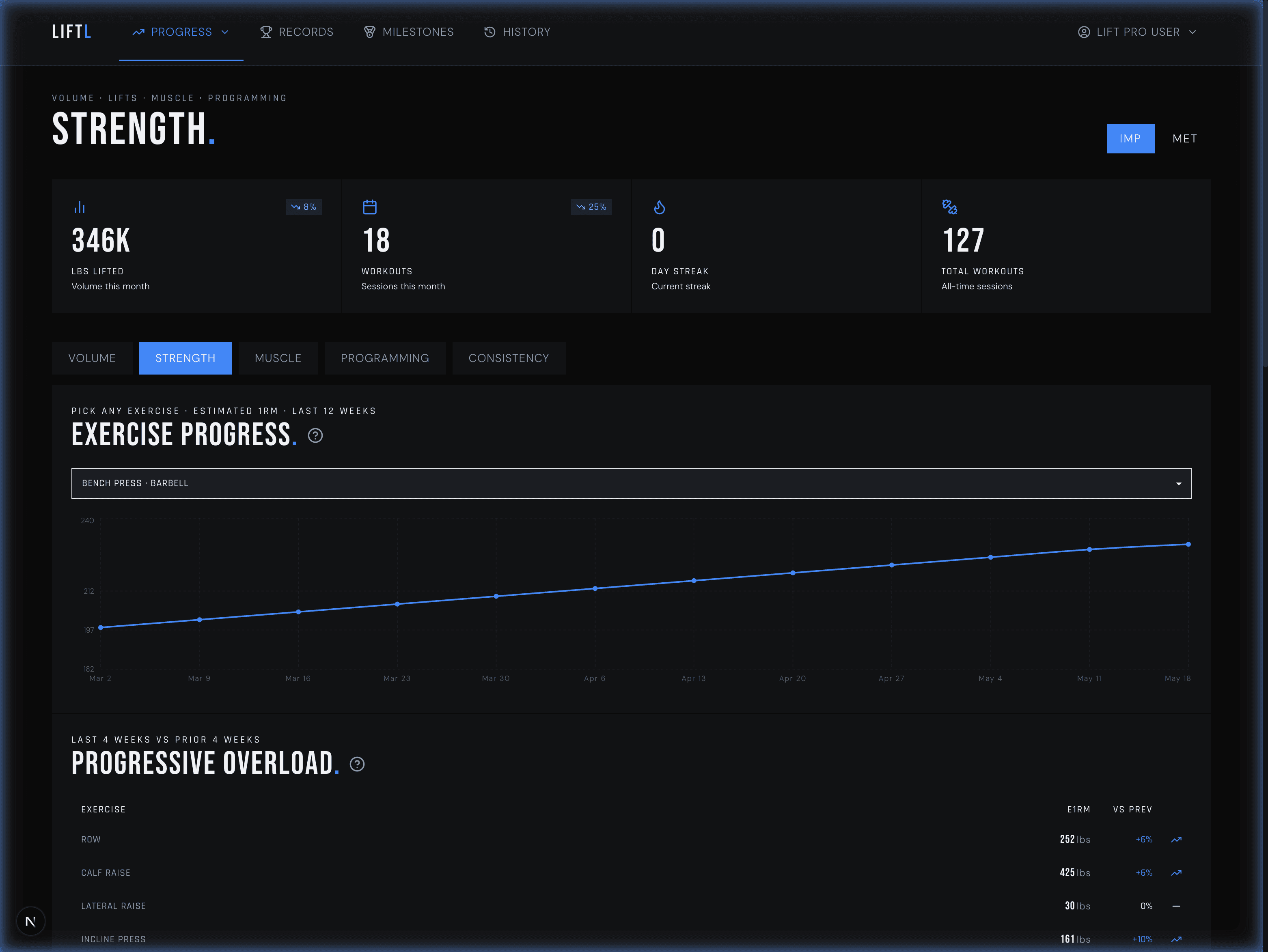
Save cues on custom exercises, add notes to exercises as you train, and write a workout note afterward. Find them together in the Notebook.
Tap a logged set while training or correct a saved set in app History. Strength, hold, count, distance, RPE, and warm-up details stay editable within your history window.
Pro members can download supported workout and set fields when they want their own spreadsheet copy.
Notes and spreadsheet FAQ
For structured workout logging, usually. LIFTL records sets, reps, weight, exercise type, workout timing, and history, then calculates useful training context automatically. A spreadsheet remains better when you need arbitrary columns, custom formulas, or unrestricted bulk editing.
LIFTL replaces the manual list of workout numbers with structured sets, reusable workouts, previous values, and workout history. Add exercise notes while training and workout notes afterward. Find both in the Notebook, and see dated exercise notes beside your previous sets. Per-set notes are not available.
Yes. When you create or edit a custom exercise, you can save optional movement instructions so the cue remains attached to that exercise.
Yes. During a workout, LIFTL can show the prior logged sets for the exercise and the best logged performance, so you do not need to search an old note or spreadsheet row.
Yes. Correct logged sets while training or edit saved set details in the app’s History within your plan’s 14-day or 90-day window. You can also edit workout notes there; the web portal is read-only.
Yes. Pro members can download a CSV containing supported workout and set fields, including date, workout, duration, exercise, muscle group, equipment, reps, weight, warmup status, and PR status.
Less maintenance between sets
Start with LIFTL Free and decide whether structured logging fits better than maintaining the document yourself.
Install LIFTL Free