No history hunting
Stay in the active workout instead of opening old sessions or scrolling through notes.
Previous workout numbers
LIFTL keeps previous-workout values and your best logged values available while you train. Use both as context for the next set without leaving the workout to search old sessions, notes, or spreadsheets.
Product facts reviewed
The practical difference
Stay in the active workout instead of opening old sessions or scrolling through notes.
See what you did previously alongside the best values you have logged for the exercise.
Base the next decision on your own logged history rather than trying to remember it.
Between two sets
A number in a notebook or note is useful only if you can find it quickly. Searching for the right workout breaks the rhythm of the session, and remembering “about what I did last time” is not the same as having the logged value in front of you.
LIFTL connects the current exercise to its recorded history so the previous workout and your best logged values can inform the next decision without taking over the workout.
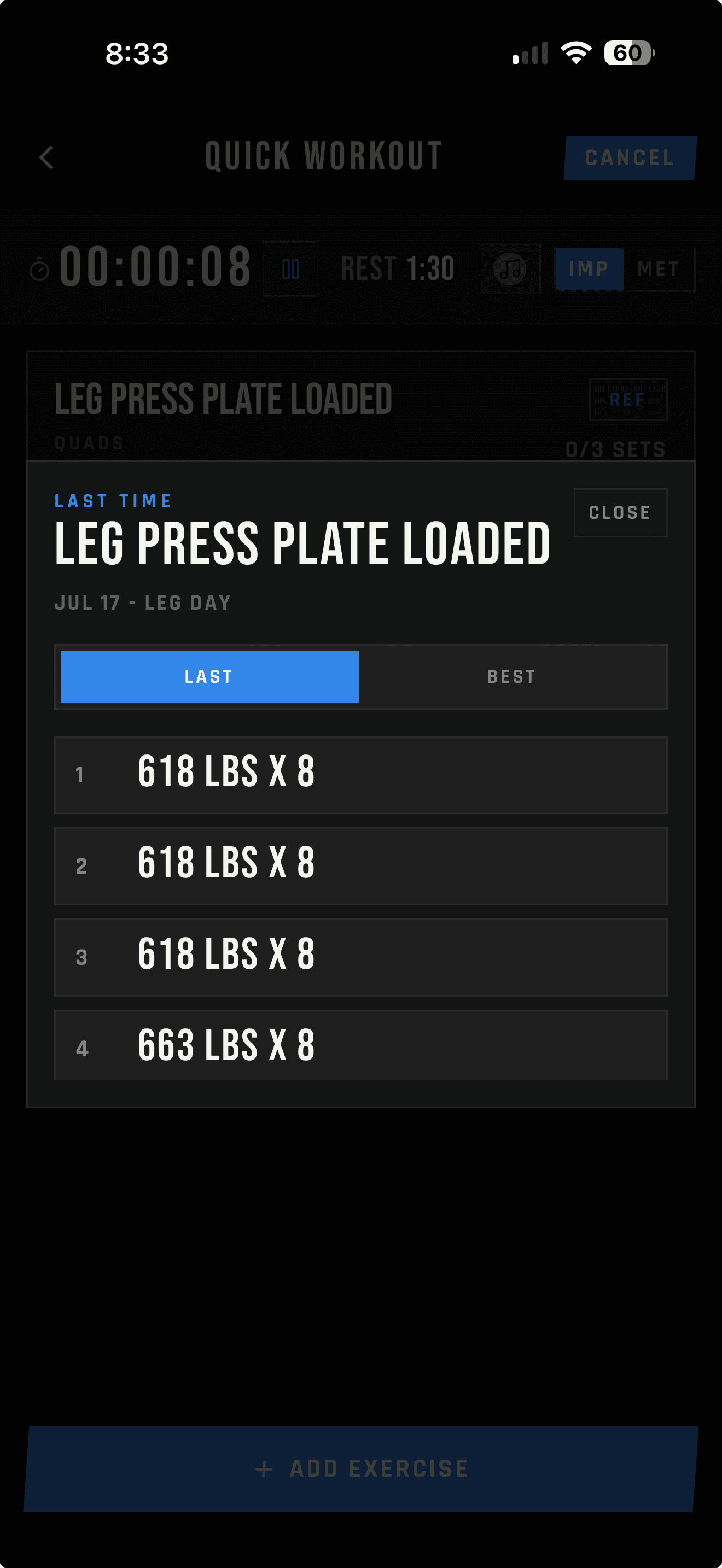
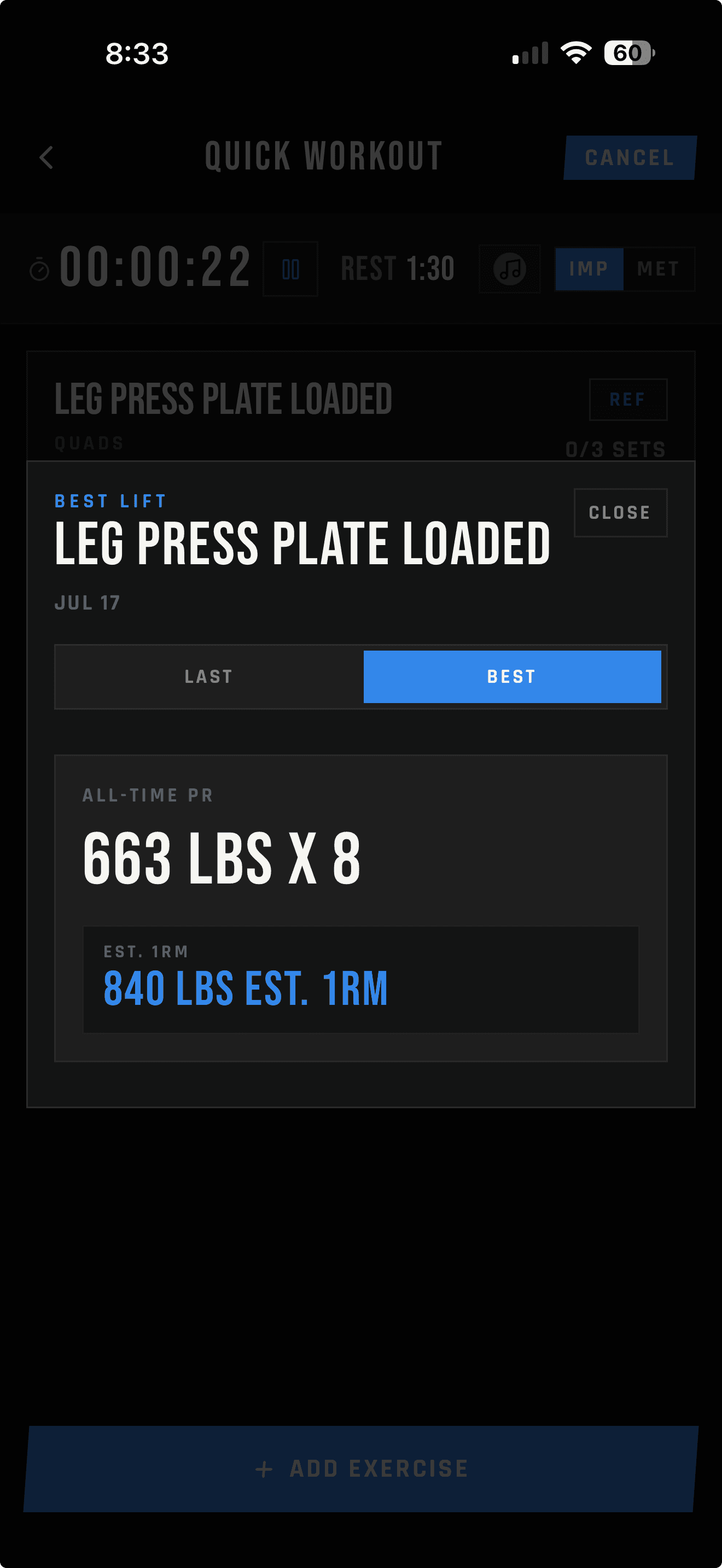
The Last tab shows the prior workout date, workout name, and every recorded set. The Best tab shows recent best performance on Free and all-time records on Pro, with estimated one-rep max for supported strength lifts.
Last
See the workout date and name, then review each set exactly as it was logged.
Best
See recent best performance on Free or all-time records on Pro, with estimated one-rep max for supported lifts.
LIFTL Free
Free accounts can access the most recent 14 days of workout data. That is enough to log regularly and use recent training history without paying first.
LIFTL Pro
Pro removes the Free history window and unlocks your complete workout history alongside the deeper analytics suite and web portal.
Your device's store shows the current price and any available trial before purchase.
Frequently asked questions
Yes. Add an exercise note while training, then review dated notes for that exercise beside your previous sets. Workout notes and exercise notes are also collected in the Notebook; the portal displays workout notes read-only.
Yes. LIFTL shows previous-workout values and your best logged values during training, so both are available as context for the next set.
No. Previous-workout context is part of the active training workflow, so you do not need to search through workout history between sets.
The Best tab shows your best logged performance from the last 14 days on Free and your all-time record on Pro. Supported strength lifts include estimated one-rep max.
Previous-workout context becomes useful after you have logged that exercise. Until then, you can record the current workout and begin building its history.
Free accounts have access to the most recent 14 days of data. Pro includes 90 days of in-app history and the complete archive in the web portal.
Yes. LIFTL is available for iPhone through the App Store and Android through Google Play.
See how this fits into LIFTL's broader fast lifting-log workflow, or see the automatic rest timer controls in detail.
Your history in context
Install LIFTL free on iPhone or Android and begin building useful workout history with the next session you log.
Get LIFTL