Starts after the set
Log the set and let the countdown begin without opening a separate timer.
Automatic workout rest timer
LIFTL starts your rest countdown after a logged set. Choose a default once, adjust it inside the current workout when the session calls for something different, and get back to lifting.
Product facts reviewed
Less timer management
Log the set and let the countdown begin without opening a separate timer.
Override the default for the workout in progress without going back to Settings.
Turn workout sounds on or off and set the volume of the audio cues.
One countdown, three clear states
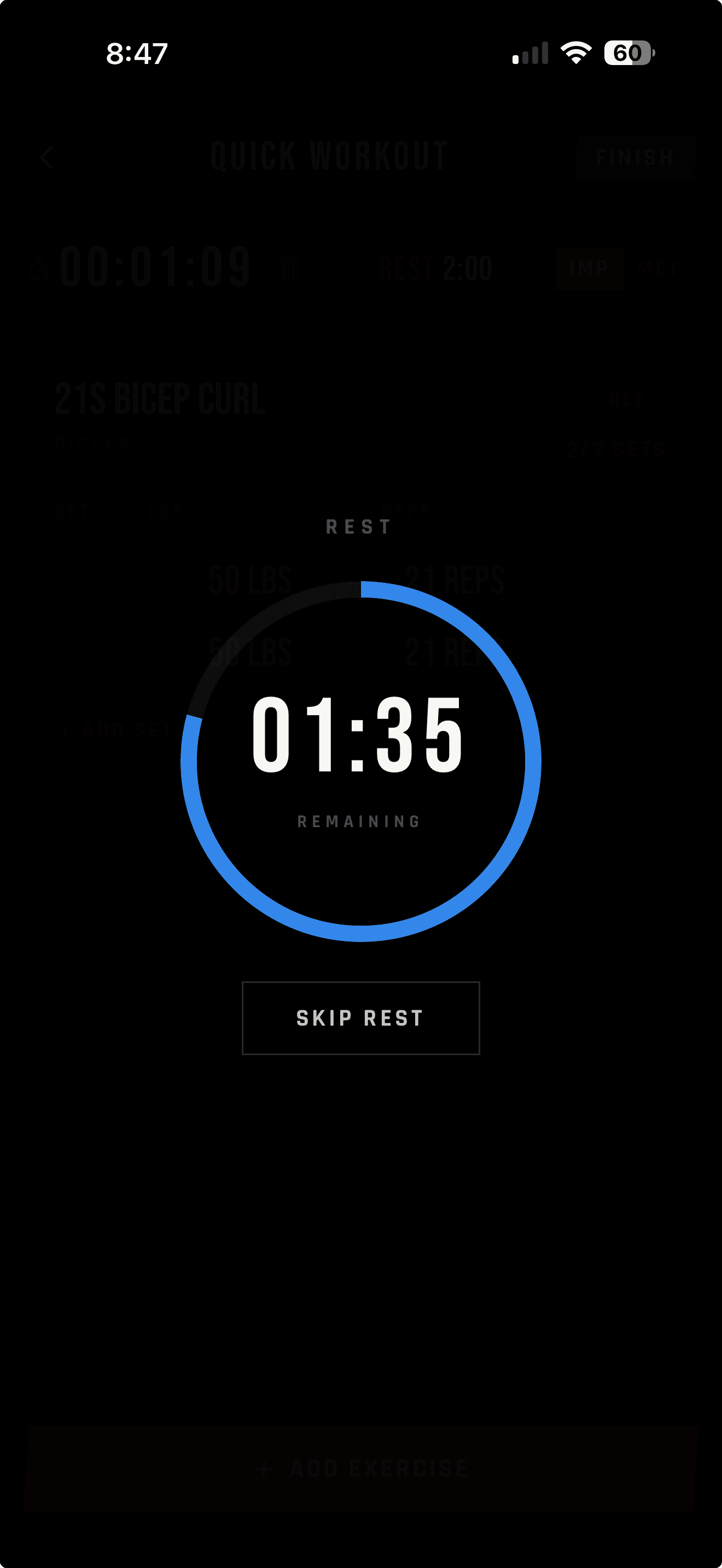
The timer stays readable at a glance. Its progress ring moves from the active countdown to a near-completion warning and then a clear finished state.
A large countdown and red progress ring keep the remaining time easy to read.
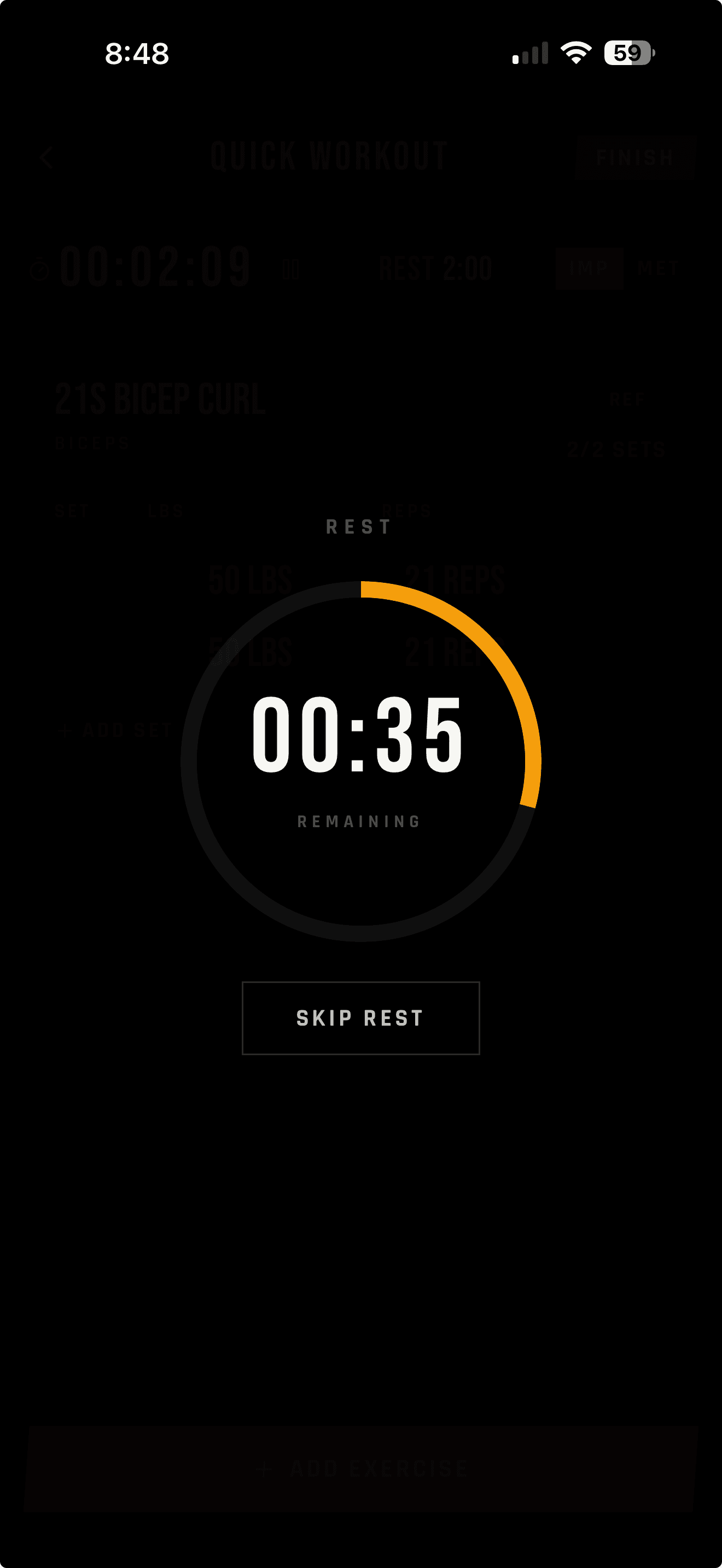
The ring changes to yellow as the end of the rest period approaches.
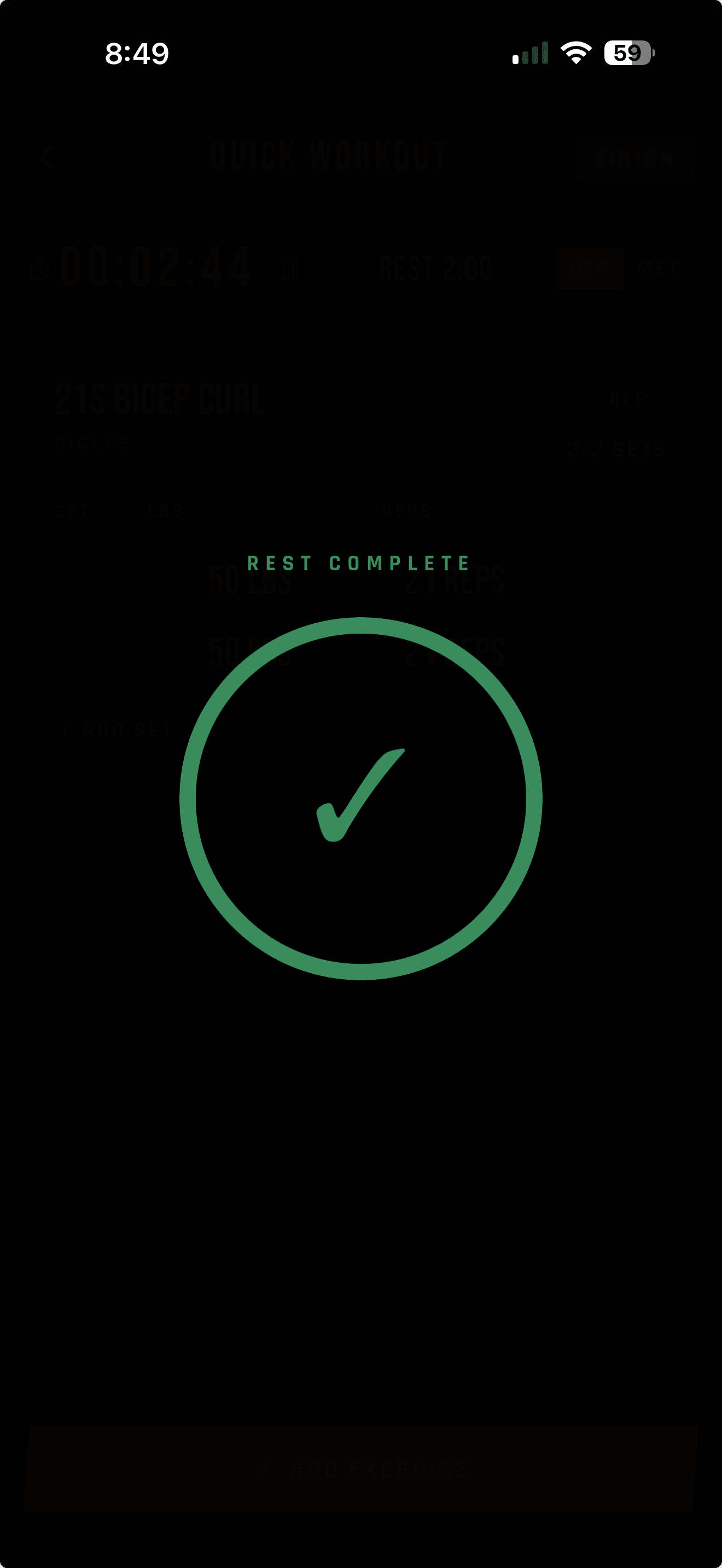
A green confirmation makes it clear when the rest period is finished.
A default without a dead end
Your Preferences value becomes the default for every workout. If today's session needs a different rest period, open This Workout and change it there—without backing out of the workout or changing your global default.
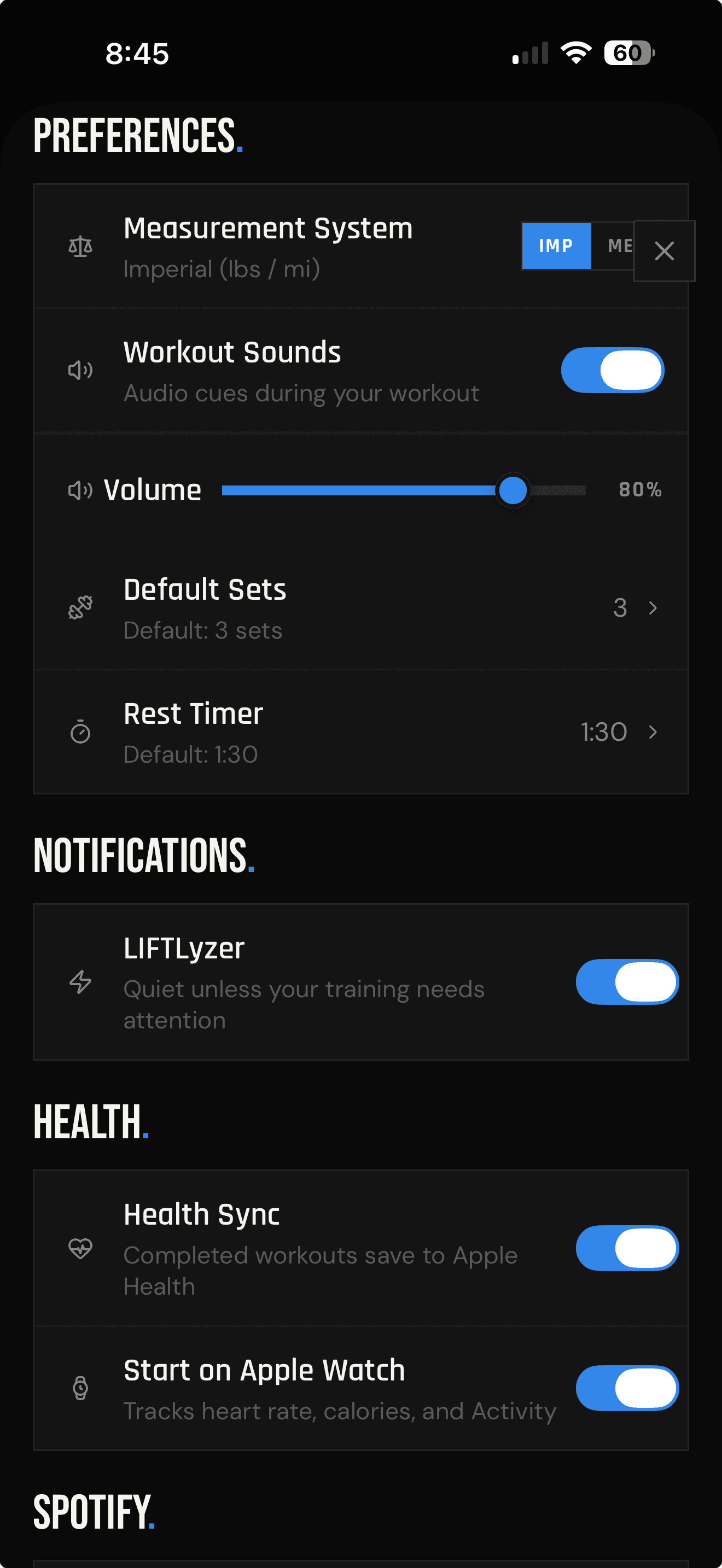
Preferences
Set the default duration and control workout sounds and volume.
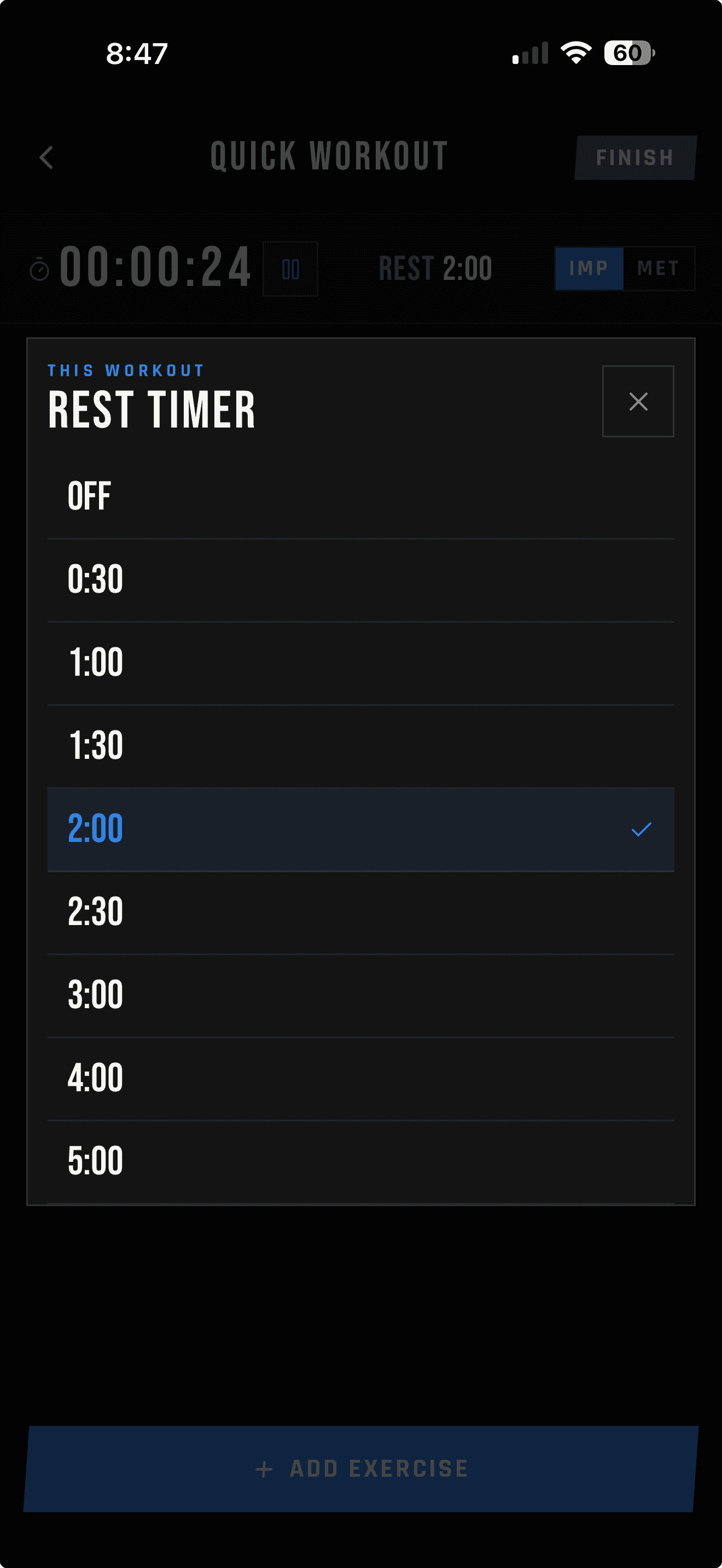
This Workout
Turn the timer off or choose a different duration for the workout in progress.
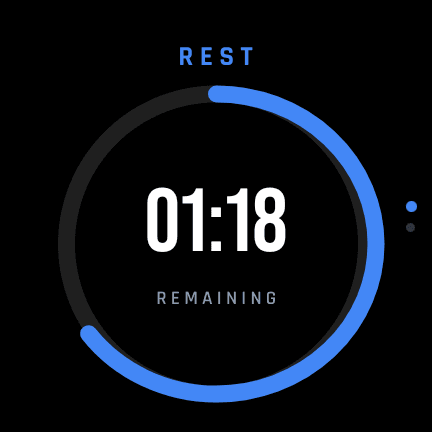
The timer follows you
With the LIFTL watch app installed on an Apple Watch paired with your iPhone or a Wear OS watch paired with your Android phone, the active rest timer appears automatically on the watch. Switch to music, messages, or another phone app during the break—the countdown stays visible on your wrist.
Frequently asked questions
Yes. Review your workout while the rest countdown continues, then tap the timer bar to return to the full timer.
Yes. When the rest timer is enabled, LIFTL starts it automatically after you log a set.
Yes. Your Preferences setting supplies the default for each workout, and the This Workout control lets you change or turn off the timer for the workout in progress.
The current in-workout control offers Off, 0:30, 1:00, 1:30, 2:00, 2:30, 3:00, 4:00, and 5:00.
Yes. Tap Skip Rest to end the current countdown and return to the workout.
Yes. Workout Sounds can be turned on or off in Preferences, and LIFTL provides a separate volume control for workout audio cues.
Yes. If the LIFTL watch app is installed on an Apple Watch paired with your iPhone or a Wear OS watch paired with your Android phone, the active rest timer appears automatically on the watch. You can switch to another phone app and keep the countdown visible on your wrist.
The ring is red during the main countdown, changes to yellow as the rest period nears completion, and turns green when rest is complete.
See how automatic rest timing fits into LIFTL's fast lifting-log workflow alongside previous-workout context, templates, and analytics.
Time the rest, not the app
Install LIFTL free on iPhone or Android and let the next rest period start with the set you log.
Get LIFTL