LIFTL does not put basic workout logging behind a subscription. Free is a complete gym-floor logger. Pro is for lifters who want their complete history, deeper analysis, watch and health connections, and data tools.
For logging every workout without feeds, ads, or a countdown to a paywall.
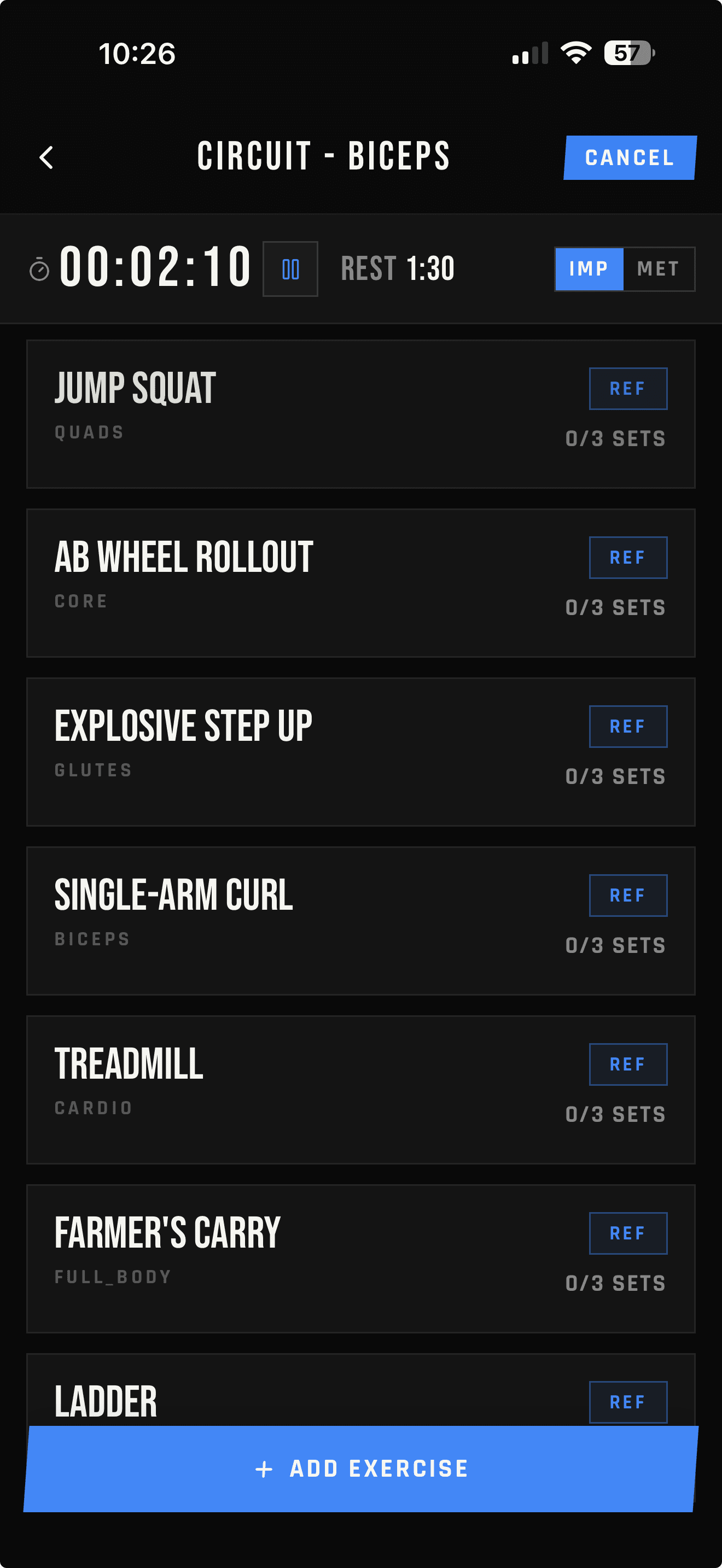
Unlimited workout logging
Quick Start and custom exercises
Automatic rest timer with audio cues
Up to 3 user-created workout templates
14 days of history, notes, and set corrections
Last trained dates by muscle
Previous and best context from that recent window
Pro
$2.99/ month*
For turning a growing training archive into longer-range context and analysis.
History expands from 14 to 90 days in-app; full web archive
Unlimited workout templates
All-time records and previous-best context
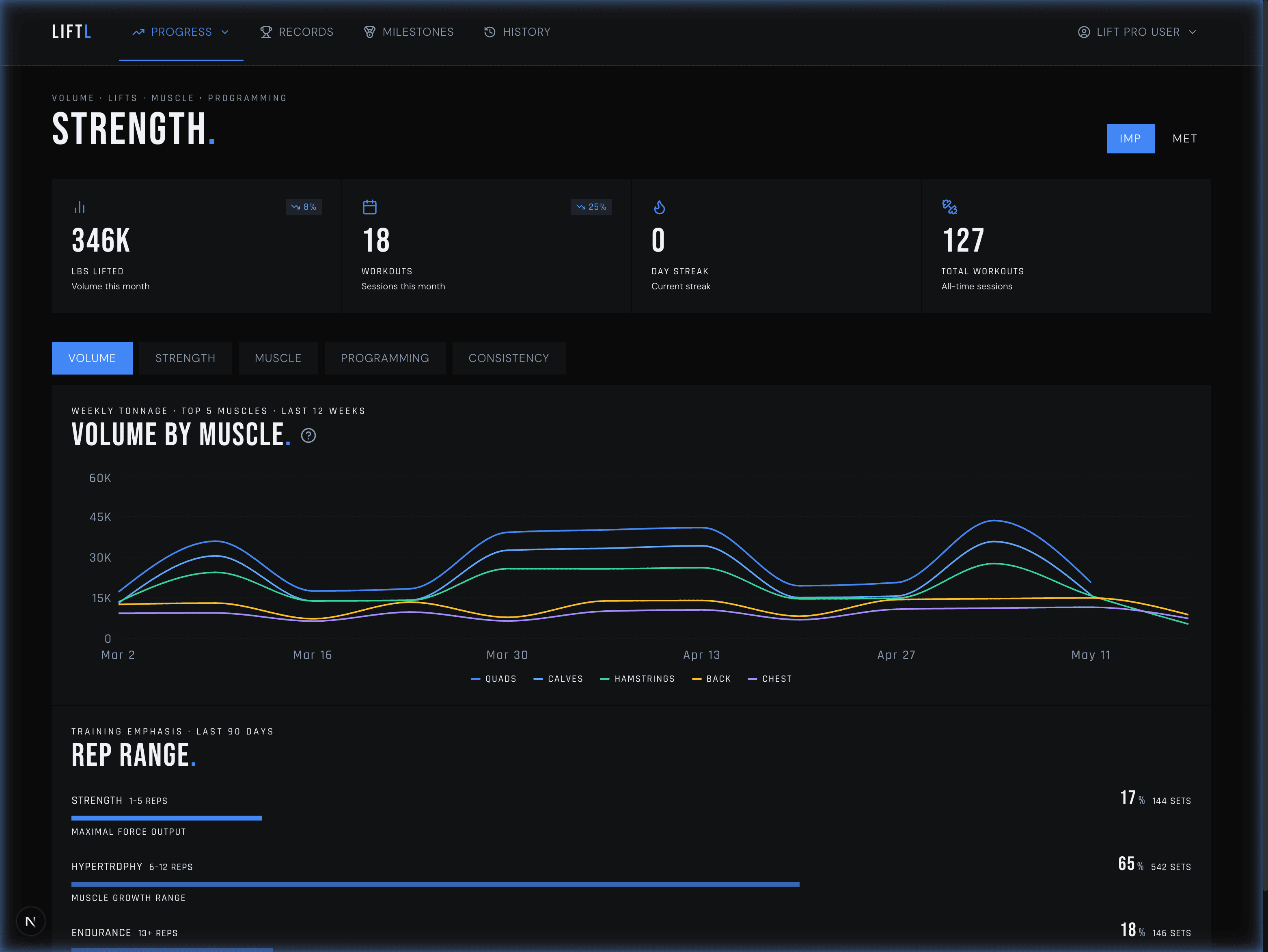
Advanced mobile and desktop analytics
Apple Watch, Wear OS, Apple Health, and Health Connect
Hevy/Strong imports and LIFTL CSV export
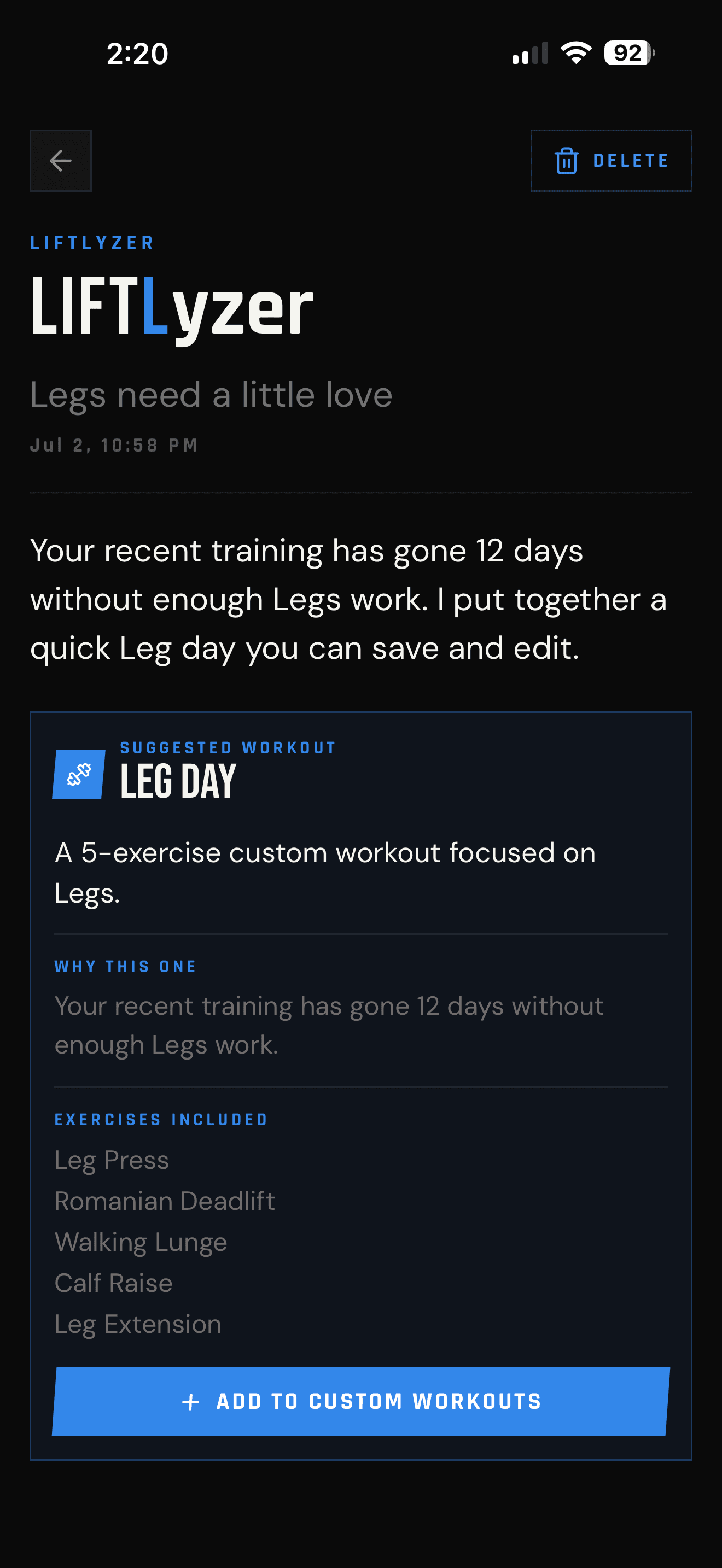
Opt-in LIFTLyzer training suggestions
*Current U.S. reference price. Your App Store or Google Play purchase screen shows the authoritative localized price, renewal terms, and any eligible trial before confirmation.
Once you have enough strength-training history, you can opt in to a weekly LIFTLyzer note. It checks your own logged data against clear rules and calls out one useful thing: a muscle group going quiet, a workload spike, or a training balance drifting off course.
When a muscle group has fallen behind, LIFTLyzer can also assemble an editable suggested workout from exercises you already use. Nothing is silently scheduled or added to your templates.
One note
A focused suggestion, not a feed of generic tips.
Your data
The reason comes from patterns in your logged training.
Your choice
LIFTLyzer is off by default and can be disabled anytime.
LIFTLyzer needs enough recent strength history to make a useful comparison, which usually takes a few weeks of consistent logging.
The paid tier does not make set entry faster. It extends how far back LIFTL can look and adds the tools that depend on a larger body of training data.
Longer context
Complete retained history, all-time bests, records, and trends beyond the Free 14-day window.
Deeper analysis
Strength, volume, workload, rep-range, muscle-recency, cardio, and isometric views.
Connected training
Apple Watch and Wear OS workout companions plus completed-workout sync to supported health platforms.
Bring history in
Import supported strength-workout CSV data from Hevy or Strong.
Take data out
Export supported workout and set fields as CSV for a spreadsheet or your own analysis.
One account
Log natively on iPhone or Android, then review the same retained history in the Pro portal.
Price and trial
THE STORE HAS THE FINAL WORD.
$2.99 per month is the current U.S. reference price. Local currency, tax, trial eligibility, renewal date, and introductory offers come from Apple or Google at the moment you subscribe.
No data ransom
YOUR LOGS DO NOT VANISH.
If Pro ends, LIFTL returns to Free limits; it does not turn prior workouts into a deleted archive. Renewing or restoring an active entitlement makes the retained history available again.
Free vs Pro FAQ
THE SHORT ANSWERS.
Can I use LIFTL without paying?
Yes. Free accounts can log unlimited workouts, use Quick Start, create custom exercises, run the automatic rest timer, add starter workouts, write exercise and workout notes, use the Notebook, correct saved sets in History, save up to three user-created workout templates, and review the most recent 14 days of training data.
What does LIFTL Pro add?
Pro expands in-app history to 90 days, opens your full archive in the web portal, and removes the custom-template limit. It also unlocks all-time records and previous-best context, advanced analytics, the desktop analytics portal, Hevy and Strong CSV imports, LIFTL CSV export, Apple Watch and Wear OS workout companions, health-platform sync, and LIFTLyzer insights.
How much does LIFTL Pro cost?
The current U.S. reference price is $2.99 per month. The App Store or Google Play purchase screen shows the authoritative localized price, taxes, renewal terms, and any trial or introductory offer available to that store account before confirmation.
Does every Pro subscription include a free trial?
Trial eligibility can depend on platform, storefront, account history, and the live offer. LIFTL shows the available trial and first billing date in the native store purchase screen before you subscribe; no trial should be assumed unless that screen displays one.
Will I lose my workouts if I stop subscribing?
Your logged workouts remain in your LIFTL account. Without an active Pro entitlement, the app returns to the Free viewing window and feature limits. Restoring Pro makes the complete retained history available again.
Where do I manage or cancel LIFTL Pro?
Manage the subscription through the store account used to purchase it: App Store subscriptions on iPhone or Google Play subscriptions on Android. The LIFTL web portal does not sell, cancel, or refund native-store subscriptions.
Start with the part that is free
LOG THE NEXT WORKOUT.
Install LIFTL on iPhone or Android. Upgrade only when longer history and deeper analysis become useful to you.