Study the training
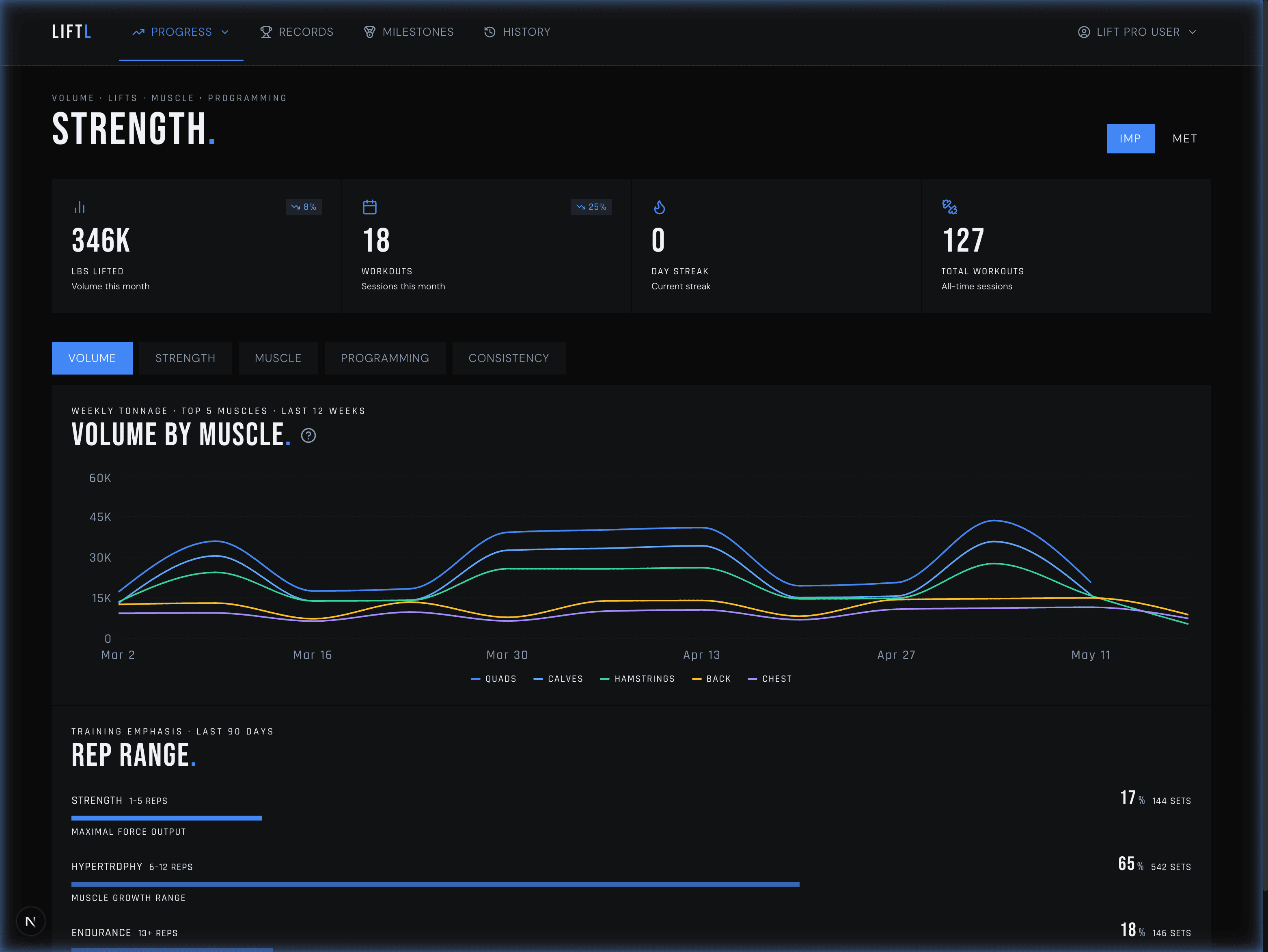
Use the larger canvas for strength curves, volume, workload, muscle maps, cardio, isometrics, and records.
LIFTL Pro web portal
The native app stays focused on the gym floor. The desktop portal gives your completed training room to become strength curves, volume, workload, muscle recency, records, and history you can actually inspect.
Product facts reviewed
A companion, not a browser remake
Use the larger canvas for strength curves, volume, workload, muscle maps, cardio, isometrics, and records.
Review completed workouts, set details, and saved notes in your full training archive.
Review membership status, import or export data, manage shared workouts, and access account controls.
More room for the complete picture
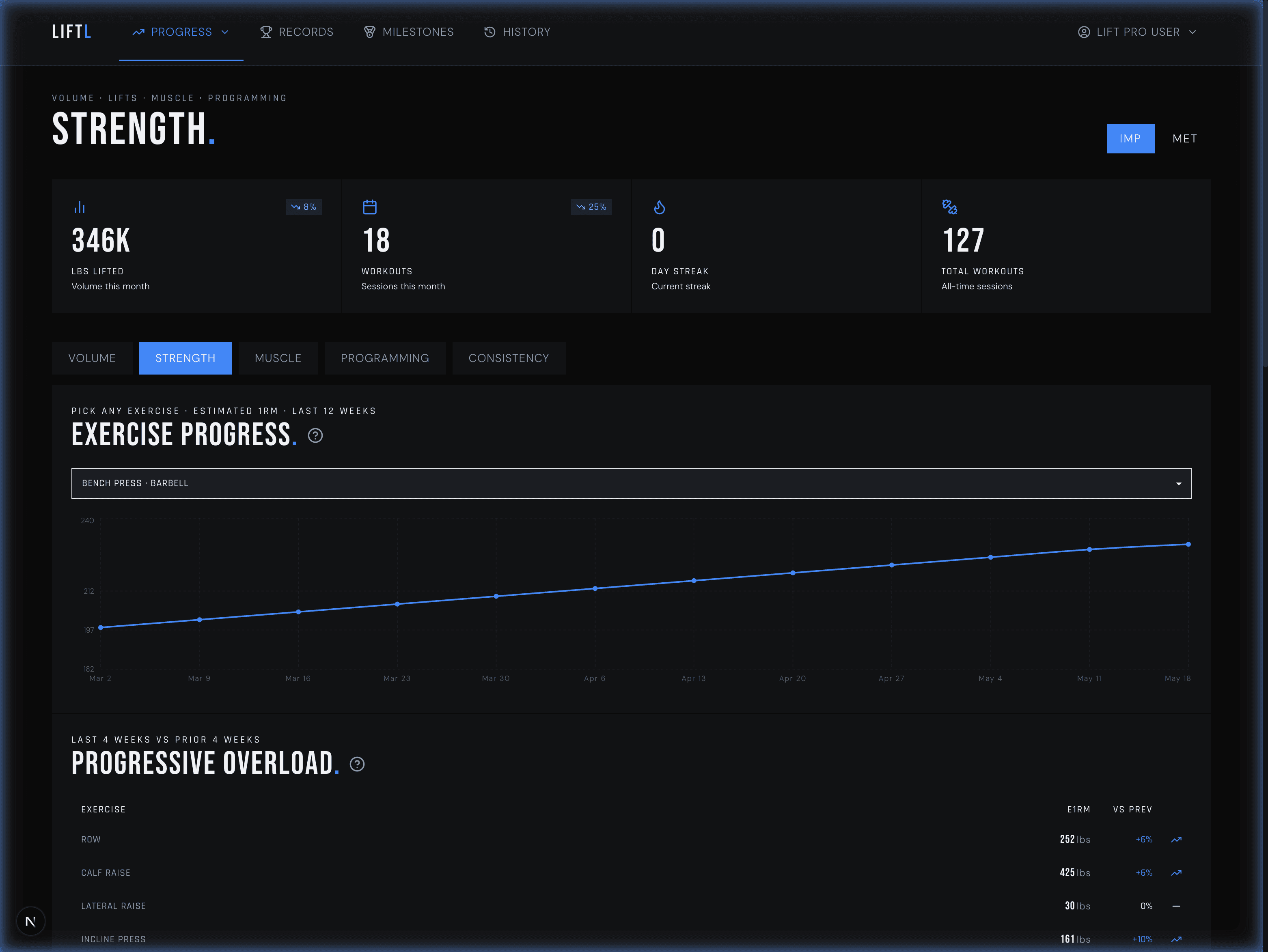
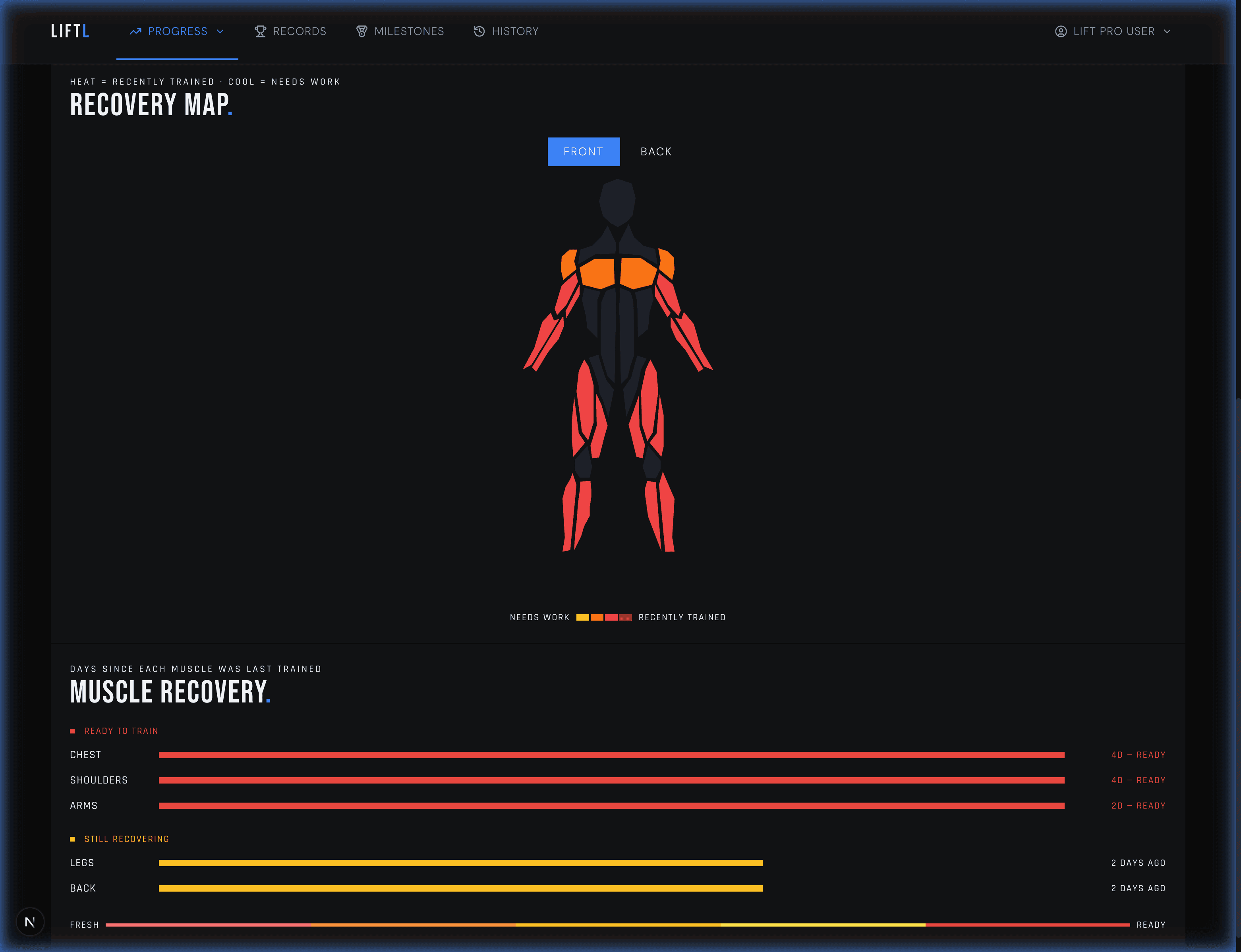
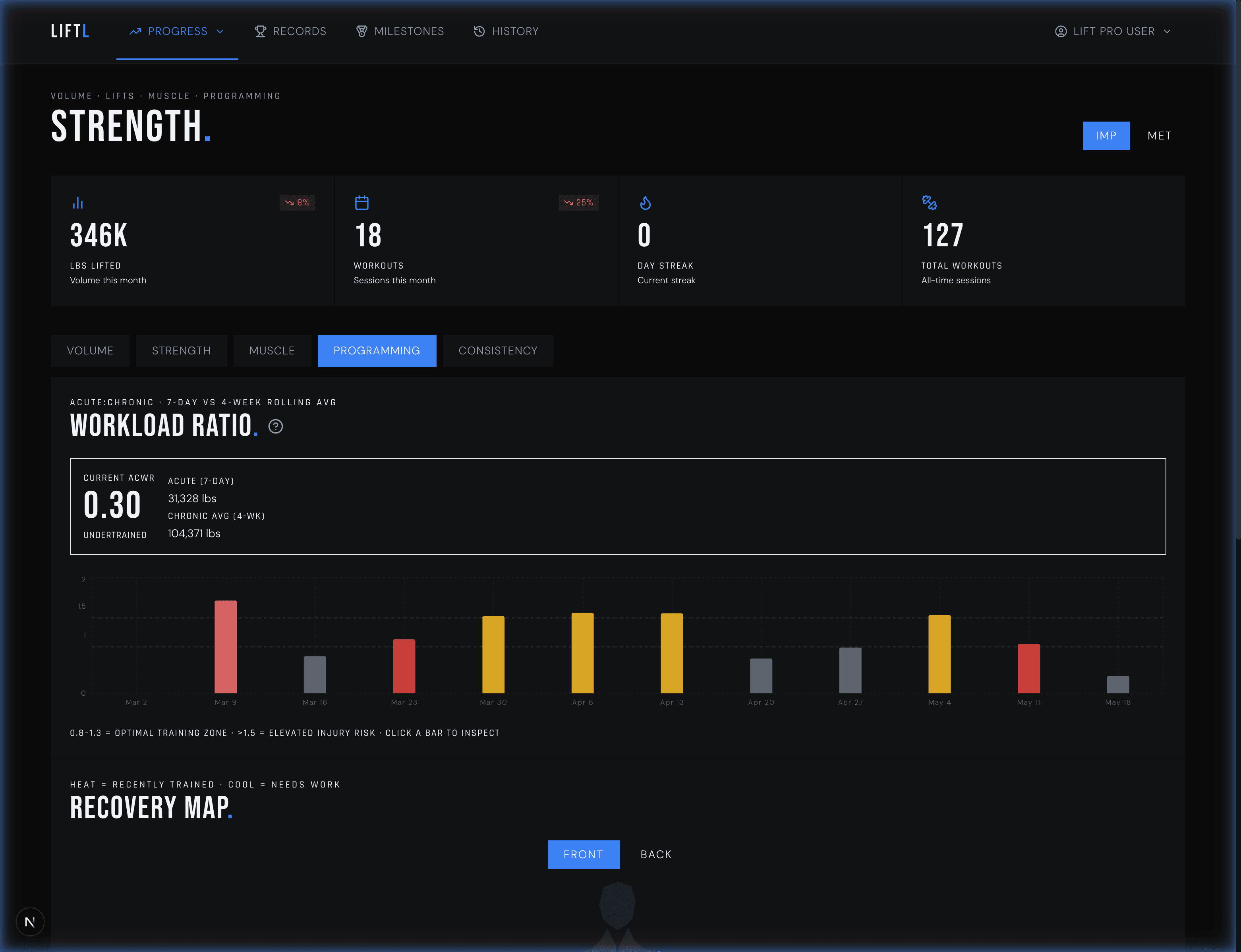
Volume shows how much work accumulated. The muscle map shows where it landed. Workload and recency views compare the current training block with its recent baseline.
What lives in the portal
Workout history stays read-only in the portal. Data imports and exports, shared-workout controls, and account management are available alongside your analytics.
Volume, estimated 1RM, progressive overload, rep ranges, balance, workload, muscle recency
Distance, pace, longest efforts, exercise-level performance, and recent trends
Time held, longest hold, loaded versus bodyweight context, and session totals
Personal-record history with exercise, performance, estimated 1RM, and date
Completed sessions, exercises, sets, duration, volume, and saved workout notes
Supported Hevy/Strong imports and LIFTL CSV export for Excel, Google Sheets, or custom analysis
Use the phone for the active workout. Sign into the portal with the same LIFTL account when you want more room for analysis, history review, imports, exports, and account controls.
A deliberate boundary
You cannot start or log a workout from the portal. That is intentional: native controls, watch integration, health sync, rest timing, and fast set entry stay together in the app.
See the mobile workout loggerReview completed sets and workout notes. Logging and saved-set corrections stay in the app.
Bring supported Hevy or Strong history in, or download supported LIFTL data as CSV for Excel, Google Sheets, or your own analysis.
Review personal records and completed sessions with more room than a phone screen.
Desktop portal FAQ
The LIFTL portal is a browser-based companion for reviewing the workouts logged in the mobile app. It provides larger-screen analytics, history, records, workout notes, imports, exports, and account controls.
No. Workout logging stays in the native iPhone and Android apps. The portal is intentionally designed for review and management after the workout.
The Pro portal includes strength and estimated 1RM trends, progressive-overload comparisons, weekly volume, rep-range and training-balance views, workload ratio, muscle-training recency, PR history, cardio metrics, and isometric metrics.
No. Completed workout history is read-only in the portal. Correct logged sets during a workout or later in the app’s History within your plan’s history window. You can also edit workout notes there.
Yes. Pro members can import supported Hevy or Strong CSV files and export supported LIFTL workout and set fields as CSV. The export can be opened in Excel, Google Sheets, or another spreadsheet tool for custom analysis.
No. The portal can show membership status, but subscriptions, payment methods, receipts, and cancellation remain with the App Store or Google Play.
Your training, with room to breathe
Create your account in the LIFTL app, then open the desktop portal whenever you want the complete view.
Install LIFTL Free