LIFTL vs Strong

MORE THAN A
DIGITAL NOTEBOOK.

Strong is built around straightforward mobile workout logging. LIFTL starts with that essential job, then puts previous and best performance into the workout and goes deeper afterward with workload, recovery, recency, and whole-program analysis.

Try LIFTL free No Strong affiliation or endorsement

Comparison and official sources reviewed

Disclosure: LIFTL published this comparison.

LIFTL facts come from the current implementation and product documentation. Strong facts come from Strong’s official website and Help Center.* “Not verified” means we did not find the feature in the reviewed official material—not that Strong definitively lacks it.

Why LIFTL exists

NOT A STRONG CLONE.
A DIFFERENT ANSWER.

“I tried Strong and Hevy myself. They are capable apps, but neither matched how I wanted to train: fast and quiet during the workout, then much deeper when I wanted to study the history. I wasn't trying to recreate either one. I built LIFTL because I wanted a different kind of lifting log.”

Parker · Founder of LIFTL

Feature-by-feature

THE DIFFERENCES THAT MATTER.

Core set, rep, and weight logging

LIFTL

Unlimited logging on Free; Quick Start or saved custom workouts

Strong

Unlimited workouts on Free; empty workouts or saved templates

Both cover the basic lifting-log job. LIFTL builds more immediate context around it.

Previous and best performance during training

LIFTL

Previous sets plus a dedicated Best view—recent on Free, all-time on Pro—with estimated 1RM for supported lifts

Strong

Exercise history, all-time records, projected performance, and PRO charts in Exercise Detail

LIFTL puts previous and best numbers directly into the active-workout decision.

Automatic rest timing

LIFTL

Per-exercise defaults, quick in-workout override, audio controls, full countdown states, and paired-watch display

Strong

Automatic timer, per-exercise warm-up and working-set defaults, and in-workout adjustment

Both automate rest; LIFTL extends the live countdown to Apple Watch and Wear OS.

Free workout templates

LIFTL

Up to 3 saved custom workouts; unlimited Quick Start sessions

Strong

Up to 3 saved templates; unlimited templates require Strong PRO

The Free template allowance is equivalent. LIFTL also lets you create exercises on the fly without a Pro gate.

Training analysis

LIFTL

Strength curves, overload, volume, workload ratio, muscle recency, rep ranges, balance, cardio, isometrics, and PR history

Strong

Exercise charts, records, projected performance, profile widgets, and body measurements

LIFTL is designed to go beyond a digital notebook into workload, recovery, recency, and whole-program analysis.

Proactive training suggestions

LIFTL

Opt-in LIFTLyzer notes based on rule-driven analysis of recent training

Strong

No equivalent verified in the official sources reviewed for this page

LIFTL has the verified feature; Strong status remains unverified, not asserted absent.

Watch workflow

LIFTL

Apple Watch and Wear OS companions for live metrics, workout controls, and rest timing; detailed set entry stays on phone

Strong

Official documentation covers Apple Watch set entry, exercise changes, history, notes, and rest timing

LIFTL covers both watch ecosystems and keeps detailed logging on the larger phone interface.

Apple Health and Health Connect

LIFTL

Optional completed-workout write on iPhone and Android

Strong

Official documentation supports Apple Health and Health Connect

Both support the major platform health stores.

Moving existing history

LIFTL

Pro import from supported Strong or Hevy CSV files, with preview and exercise mapping before commit

Strong

Exports workout data to CSV; official documentation says that CSV cannot be imported back into Strong

LIFTL gives Strong users a direct, reviewable path to bring supported history with them.

Where LIFTL goes further

LOG FAST.
THEN SEE THE SYSTEM.

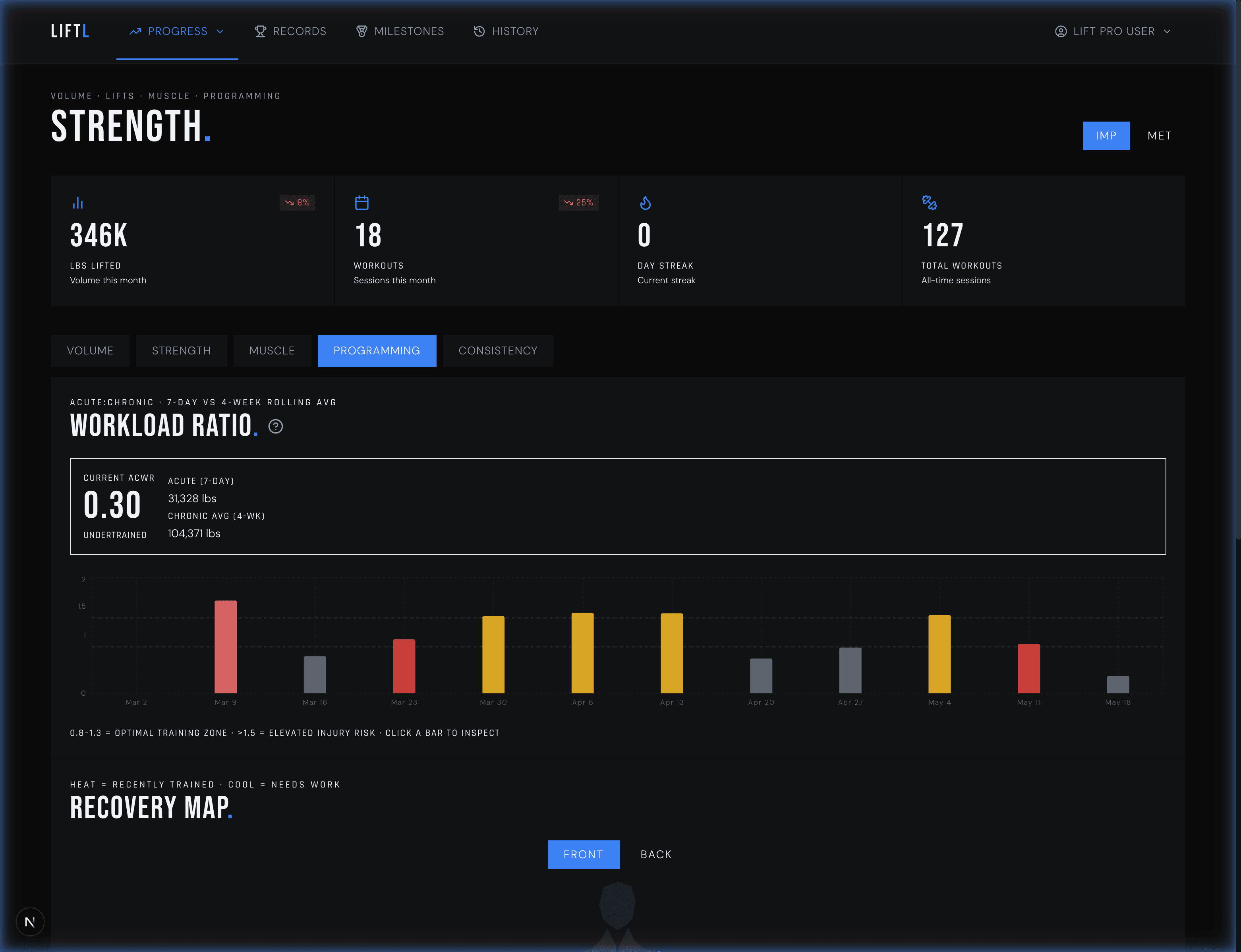
A set log answers what you lifted. LIFTL also helps show what the full program is doing: recent workload, muscle-training recency, strength trends, balance, rep ranges, personal records, cardio, and isometric work.

LIFTLyzer can turn that history into opt-in, rule-driven suggestions. The desktop portal gives the same retained training data room to breathe on a larger screen.

Explore LIFTL analytics
LIFTL desktop portal showing workload ratio and muscle training recency
LIFTL Pro · workload ratio and muscle recency
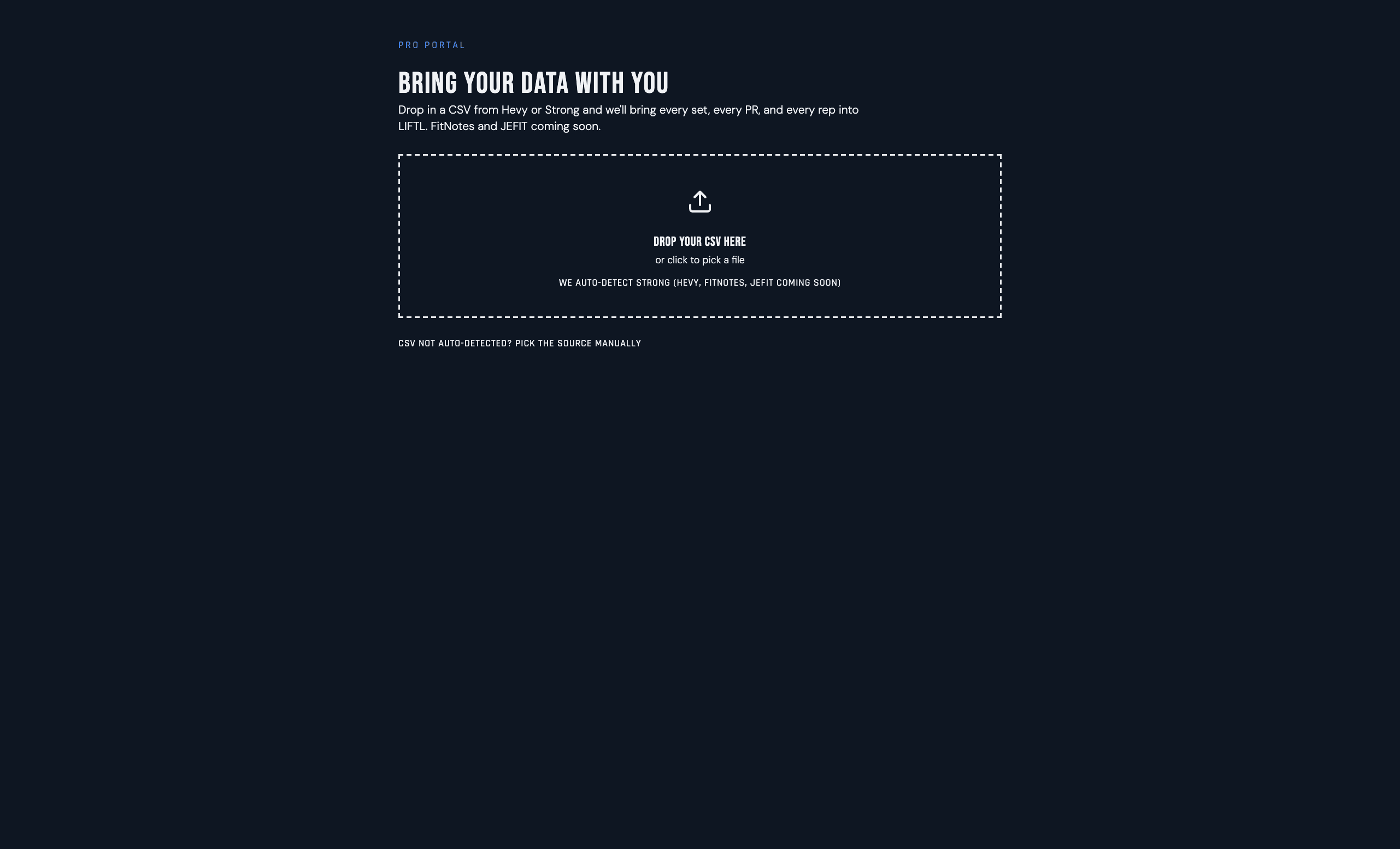
LIFTL desktop import preview for bringing supported Strong workout history into LIFTL
LIFTL Pro · preview before importing Strong history

Moving from Strong

BRING THE HISTORY.
CHECK IT FIRST.

LIFTL Pro accepts supported Strong CSV strength-workout data. The portal previews sessions, sets, exercise mappings, units, and warnings before writing anything.

The current migration is not lossless: notes, cardio-only rows, superset grouping, and original PR flags are not preserved. Duplicate prevention also blocks overlapping retries after an import commits.

Review the exact import coverage

Methodology

HOW THE CLAIMS WERE CHECKED.

Feature claims were reviewed on July 21, 2026. LIFTL behavior was checked against current code and product pages. Strong behavior was checked only against Strong-controlled sources.* Strong’s Help Center contains pages with older update dates, so claims are limited to what those official pages document and should be rechecked when Strong changes its product.

LIFTL vs Strong FAQ

THE DIRECT ANSWERS.

Is LIFTL better than Strong?

LIFTL is the better fit for self-programmed lifters who want previous and best performance during the workout, deeper workload and recovery analysis afterward, Android watch support, and opt-in LIFTLyzer suggestions. Strong follows a more traditional workout-journal model. The right choice depends on which workflow matches how you train.

Can I move my Strong history into LIFTL?

Yes. LIFTL Pro imports supported strength-workout data from a Strong CSV. You preview sessions, exercise mappings, units, and warnings before commit. Notes, cardio-only rows, superset grouping, and original PR flags are not currently preserved.

Which app supports Android watches?

LIFTL has companion experiences for Apple Watch and Wear OS. Strong’s official material reviewed for this page documents Apple Watch, but we did not find official Wear OS support. “Not verified” does not claim that a feature is definitively absent.

Which app gives me more analysis than a basic lifting log?

LIFTL adds strength curves, progressive overload, rep-range views, workload ratio, muscle-training recency, training-balance views, cardio and isometric analytics, a desktop portal, and opt-in LIFTLyzer suggestions. Strong documents exercise charts, records, projected performance, and body measurements.

Do both apps have automatic rest timers?

Yes. Both document automatic timers and per-exercise defaults. LIFTL also shows the active countdown on a paired Apple Watch or Wear OS watch, so you can leave the phone app during the rest period.

Who published this comparison?

LIFTL published this page. Strong facts were reviewed against Strong’s official website and Help Center on July 21, 2026. LIFTL does not claim that this is an independent review or an endorsement by Strong.

If LIFTL fits how you train

TRY THE LOGGER FOR FREE.

Use LIFTL without importing anything first. If the focused workflow and deeper analysis fit, review the exact Strong migration coverage before moving history.

Download LIFTL